AI FOR GOOGLE SHEETS
AI on Steroids for Spreadsheets. At Scale. Safe for the Enterprise
Combine the power of AI with the scalability of spreadsheets
to transform your workflows, automate tasks, and get more
done than ever before.
Get Started for FREE in 60 Seconds - no API key required








Silly Name, Serious Problems, Big Results
Unlike most AI tools with rigid workflows, with Spreadsheet Daddy, you can start with a blank
spreadsheet and build a custom workflow tailored to your unique needs and push the boundaries
of what’s possible with AI.

GPT-4 Enabled

Enterprise Level Security

Unbeatable Pricing Model

Batch Execution at Scale

Supports Cell References

No Learning Curve
Our Core Features
 The Safe Mode
Enable the Safe Mode to route your requests through a separate, secure API.
- All prompts and completions are not available to OpenAI, Microsoft, Google, us, or other third parties.
- Your data won’t be used for improving AI models, abuse monitoring, and content filtering.
 AI Tool
Create and execute AI prompts at scale. Use cell references to engineer prompts with existing data in cells.
- Reference cells or cell ranges
- The default mode generates output inside the sidebar
- Selecting empty cells next to your data enables the execution of a prompt containing cell references at scale
- Built-in API load management makes it possible to execute thousands of prompts without errors
 AI Autocomplete
Use AI to generate, modify, or extract text based on your examples.
- Provide 2-5 examples to execute any task - no prompts needed.
- Use the context field to provide additional instructions and rules to improve the quality of output.
 Formula Generator
Generate a custom formula based on your text prompt.
- Generates both functions and custom formulas
- Supports 500+ Google Sheets functions
- Easily paste the generated formula into your active spreadsheet cell.
 Text Extraction
Scrape and import text from one or multiple URLs or Google Docs links for easier data importing.
- Process thousands of pages in seconds and just one click.
- A built-in algorithm analyzes all links to remove repeating text at the beginning and end of each page.
 Custom Functions
Access seven custom functions to access the core functions without the need to launch the sidebar.
- Faster processing speed
- Simple and straightforward syntax
But Wait... There's More!
Formula Explainer
Google Apps Script Generator
Regex Generator
Google Apps Script Explainer
One Tool, Endless Use Cases
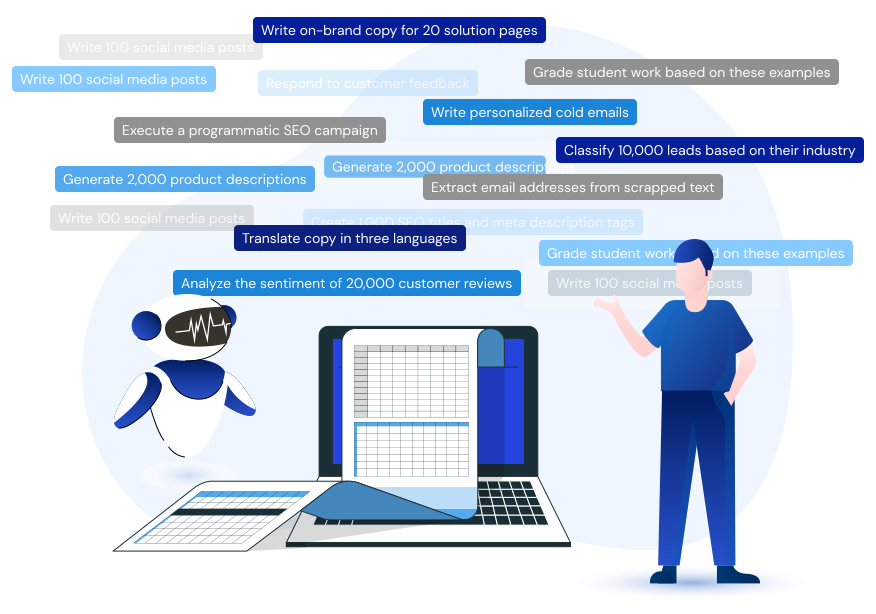
Spreadsheet Daddy is designed to handle a wide array of tasks, making it the perfect solution for businesses of all sizes and across industries.
It's not just a tool - it's your ultimate AI assistant in Google Sheets.
Who Can Use Spreadsheet Daddy?
Spreadsheet Daddy is an industry-agnostic tool, so it can be applied to any industry. Here are
some of the major industries

Content Marketing
- Email Sequences
- Social Media Posts
- Google, Facebook, LinkedIn Ad Copy
- User Interview Analysis
- Video Scripts

SEO
- SEO Metadata
- Programmatic SEO
- Glossary Pages
- Product Reviews & Comparisons
- Local SEO Pages
- Marketplace SEO
- International SEO

Ecommerce
- Product & Category Descriptions
- SEO Blog Content
- Customer Review Responses
- Translation
- Promotional Emails
- Ad Copy

Sales
- Personalized Emails
- Prospect Analysis & Segmentation
- Lead Scoring
- Summarize Recorded Interactions
- Sentiment Analysis
Get Started with 70,000 Free Characters
Our pricing model is built to make Spreadsheet Daddy a no-brainer for users and organizations of
all shapes and sizes. Get started in just a few clicks using our infrastructure and seamlessly
migrate over using your own API keys to drastically reduce costs. It’s a win-win.


200K GPT-4-32K chars./mo
Frequently Asked Questions
Click this link to install our add-on on the Google Workspace Marketplace.
You’re likely encountering the issue of multiple Google accounts detected by your Chrome profile. Consider logging in using the Incognito mode or changing the default Google account to the one you want to use to install the add-on.
The total number of credits is calculated by summing up your prompts (inputs) and completions (outputs).
GPT-3.5 is a great fit for most tasks, but we recommend you use GPT-4 for content generation, ideation, and research since this base AI model is a lot more capable of solving complex tasks. GPT-4-32K is the most capable (and most expensive) OpenAI model to date thanks to a larger context window.
Base characters are the input and output characters of OpenAI’s GPT-3.5 model.